TRANSFER TRIAGE · TELL A SLOW TRANSFER FROM A LOST ONE
You hit withdraw on the exchange, the page says sent, and it even hands you a transaction hash (TxID). The person on the other end keeps refreshing, and their wallet stays empty. The first reaction is usually panic: is it lost? Did something swallow it?
Take a breath. Almost every case of sent but not received is not a lost transfer — it is a transfer waiting for network confirmations. An on-chain transfer is not an instant bank ping. It has to be packed into a block, then wait for a certain number of further blocks to stack on top before an exchange or wallet will formally book the money to your name. This guide explains the part in the middle: what a confirmation is, how long you should expect to wait, how to check progress yourself, and what genuinely counts as a problem.
Submitted to the network, sitting in the pool of candidates. Not on the chain yet.
A miner or validator packs it into a new block. This counts as confirmation one.
Every further block stacked on top adds one more confirmation. The number climbs.
The receiving side reaches its own required count and books the funds.
That strip is the whole journey. The stage nobody thinks about is the third one, and it is where almost all of the waiting actually happens. The sections below unpack each stage, so you know what you are waiting on and when it stops being worth waiting. If you are mid-wait right now, skip to section five and check whether yours is normal slow or genuinely stuck.
Why Sent Is Not the Same as Arrived
Between the moment you tap confirm and the moment the other person sees the money, a transfer passes several checkpoints:
- Broadcast. Your transaction goes out to the whole network and joins the pool of candidates waiting to be packed. At this point it has been submitted, but it is not on the chain.
- Packed into a block. A miner or validator picks it up and includes it in a new block. That counts as the first confirmation.
- Later blocks pile on. Every new block stacked above yours adds one more confirmation. The deeper it gets buried, the smaller the chance the transaction is ever rolled back, and the more settled it becomes.
- Credited. The receiving side, exchange or wallet, waits until the confirmation count reaches the threshold it has set, and only then books the funds to you.
So the sent status you are staring at is stage one or two, while the recipient only says arrived at stage four. That gap in the middle is the confirmation count filling up. Nobody is dragging their feet — this is the blockchain security model doing exactly what it is designed to do.
What a Confirmation Count Actually Is
A confirmation count is simply how many blocks have been stacked on top of yours since it was packed. The moment it lands in a block you have one confirmation; one block interval later you have two, and it climbs from there.
Why wait for more than one? Because a freshly included transaction still carries a very small theoretical chance of being shuffled out by a chain reorganisation, and waiting a few more blocks pushes that risk down to something you can ignore. A chain or a platform that demands more confirmations is safer, and it makes you wait longer. Exchanges play it safe, so they usually want several confirmations before crediting an account — which is exactly why you get the classic situation where the chain already says success but the exchange still shows nothing. The transaction is confirmed on-chain; it just has not reached the number that particular exchange asks for.
Roughly How Long Each Chain Makes You Wait
Two things set the length of the wait: how quickly the chain produces blocks, and how many confirmations the receiving side insists on. The spread between chains is wide. Treat what follows as a feel for the shape of it, not as a promise — the exact threshold is whatever your exchange withdrawal or deposit page shows, and that page is the source of truth at the time you withdraw:
- TRC20 (TRON) and BEP20 (BNB Smart Chain): fast blocks. Transfers typically land inside a minute or two, after something on the order of a dozen or so confirmations. This is the least painful option to wait on, and it is what most beginners use for USDT.
- ERC20 (Ethereum): a bit slower — usually a few minutes, and longer when the network is congested. Exchanges also tend to ask for a higher confirmation count here.
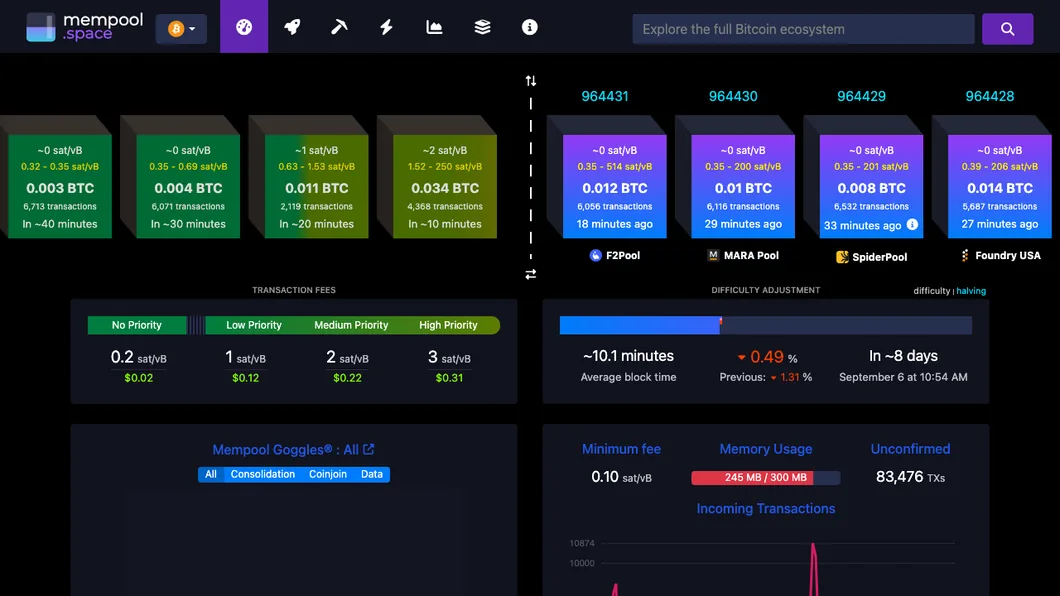
- BTC (Bitcoin): the slowest of the group. A block turns up roughly every ten minutes on average, so collecting enough confirmations often runs to half an hour or more. If a Bitcoin transfer still has not shown up after a long stretch, that is usually just Bitcoin being Bitcoin, and not a reason to panic.
Put another way: the network you choose largely decides how long you sit there. Want it fast, send over TRC20 or BEP20; choose BTC or ERC20 and you need patience. For a fuller side-by-side of arrival times, see how long a transfer takes on each network.
How to Track Confirmation Progress in a Block Explorer
You do not have to sit there guessing. You can look up how many confirmations your transaction has right now:
- Get the TxID. Open the withdrawal history on your exchange and find the transaction hash (TxID, sometimes labelled transaction ID) for that withdrawal. Copy it.
- Open the block explorer for that chain. Each chain has its own: Tronscan for TRC20, Etherscan for Ethereum and its token standards, BscScan for BNB Smart Chain, and any mainstream Bitcoin explorer for BTC.
- Paste the TxID and search. The page shows the transaction status and its current confirmation count. If that number is going up, everything is working and you simply have not reached the receiving platform threshold yet. A status of success means the chain side is confirmed.
If you have never done this before, looking up a transaction by TxID walks through where to find the hash and how to read the explorer page, step by step.
What Actually Counts as Stuck
Waiting is not the same as trouble. These are the cases that do need you to step in:
- The block explorer cannot find the transaction at all. It may never have been broadcast successfully. Go back to the withdrawal history on the exchange and check the status there — it may still be under review or held by risk control.
- The chain has shown success for ages and the confirmation count is far past the threshold, but the exchange still has not credited you. This is the case where the delay really may sit with the receiving side, or with the address or tag you used. Contact the receiving platform support and give them the TxID.
- The withdrawal sits at processing or under review on the exchange side and the chain has no record of it. Then it has not actually gone out yet, which is common during risk review — see withdrawals suspended and risk control.
- The address or the memo or tag was wrong. Some coins sent to an exchange need a memo or tag, and leaving it out means the funds land without being credited — see a missing memo or tag.
Keep the order of investigation straight: first use the TxID to establish on-chain whether it left at all and whether it has enough confirmations, then decide whether the problem lies on the chain or with the receiving platform. Turning up to support with a TxID in hand will always get you further than saying you did not receive it.
How to Wait Less and Get Stuck Less
- Send a small amount first. The first time you transfer to any new address, push a few dollars through to prove the route works, then send the real amount — see small test transfers.
- Pick a fast network. Unless you have a specific reason not to, send USDT over TRC20 or BEP20: it arrives within minutes. Their fees differ quite a bit, though, and TRC20 isn't necessarily the cheap one anymore, so check Binance's withdrawal page.
- Check both ends use the same network before you send. The network you select for the withdrawal has to match what the receiving address supports, exactly. Choosing the wrong network is the mistake that genuinely loses coins — see sending on the wrong network.
- Keep the TxID. Save the transaction hash for every transfer. When something goes wrong, it is the only evidence you have to prove what you sent and to trace where it went.
- Do not resend while you are still waiting. Firing off a second transfer because the first one has not landed is how people pay twice — the original is still on its way. Check the confirmation count first.
- Ignore anyone selling a speed-up. Once your transaction is sitting in a block, confirmations only build as the chain produces new blocks. No paid service can make blocks arrive faster, so treat acceleration offers accordingly.
The Short Version
Sent but not received is usually a transfer waiting rather than a transfer lost. Three things stop the panic for good: the confirmation count is the chain security model at work, the network you choose sets the length of the wait, and a TxID in a block explorer shows you the progress at any moment. The situations that genuinely deserve your attention are the ones where the chain has no record of the transaction, or where the confirmations cleared long ago and the money still has not been credited — and in both of those, walking up to support with the TxID is the answer. Slow transfers are not the scary part. Wrong networks and missing memos are.
Frequently Asked Questions
Does sent but not received mean my funds are lost?
Almost never. In most cases the transaction is on the chain and has simply not collected enough confirmations for the receiving side to credit it. Find the TxID in your withdrawal history and look it up on a block explorer: if the confirmation count is climbing, nothing is wrong and there is nothing to do but wait. Funds are genuinely at risk in a different situation, such as the wrong address or the wrong network, not in this one.
The explorer says success, so why has the exchange not credited me?
On-chain success only means your transaction was included in a block. The receiving platform waits for a set number of additional blocks to stack on top of it before it books the funds to your account, and that threshold differs by platform, coin and network. The exchange page you are withdrawing from or depositing to is the source of truth at the time you withdraw, so read the required count there rather than trusting a rule of thumb.
Why does Bitcoin take so much longer than a TRC20 transfer?
Because the chains produce blocks at very different speeds. Bitcoin averages roughly ten minutes per block, so clearing the confirmations a platform asks for often takes half an hour or more, and that is normal rather than a fault. TRC20 and BEP20 produce blocks quickly, which is why transfers on those networks usually land within a minute or two. The network you pick largely decides how long you wait.
Should I send the transfer again if it still has not arrived?
No. Sending a second time while the first transfer is still confirming is how people end up paying twice, because the original will still land. Look up the TxID on a block explorer first and see whether the count is moving. It is also worth ignoring anyone who offers to speed a transaction up for a fee: once it sits in a block, confirmations only accumulate as the chain produces new blocks, and no third party can make that happen faster.